https://www.youtube.com/watch?v=_6RAtwv2kAY
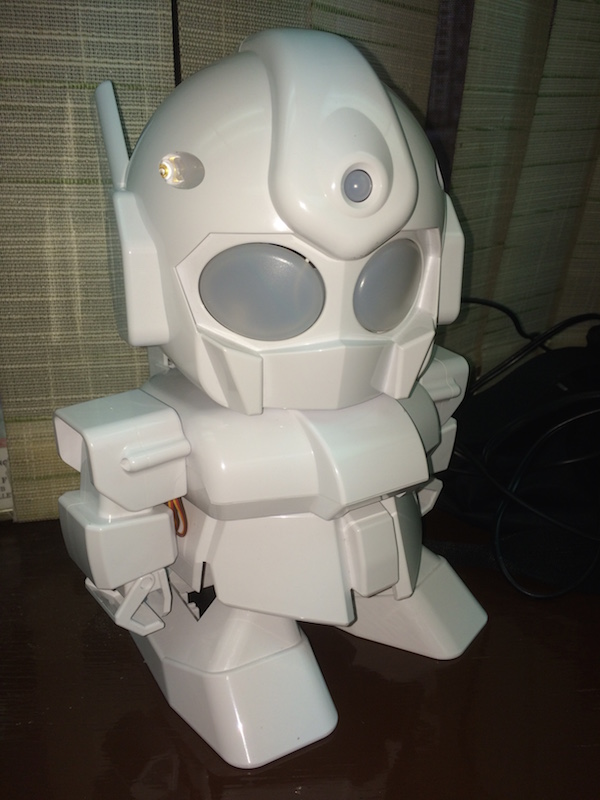
Rapiro is a cute, affordable, and easy to assemble humanoid robot kit. Rapiro comes with an Arduino compatible controller board, and you can reprogram Rapiro with Arduino IDE easily. One of the coolest feature is that you can extend Rapiro‘s functionality by connecting other components to enhance Rapiro’s capabilities.
“Its limitless possibilities all depend on you.”
This time, I will show you how to control Rapiro with IOS devices through BLE connection. I will divide this tutorial in two parts.
First will show you how to connect Rapiro to RedBearLab’s BLE Nano Board, and run a simple test code to confirm the connection.
Then in the second part of tutorial, I will show you how to connect and turn your IOS devices into a remote control and to control Rapiro‘s action.
Parts Need:
- Rapiro
- RedBearLab BLE Nano & MK20 USB Board (only need BLE Nano, but need USB Board to program the chip)
- Four Female/Male Jumper Wires
- IOS device
Software
- Arduino IDE 1.5.7 or later
- Xcode (for IOS Development, and you must be a registered IOS Developer in order to run the program on your IOS device)
- RedBearLab nRF51822-Arduino (Add support to your Arduino IDE for compiling nRF51822 firnware
Tutorial
Part 1: Connect RedBearLab BLE Nano to Rapiro
Part 2: Using IOS device to control your Rapiro through RedBearLab BLE Nano
Optional: Control Rapiro with Evothings Client

Comments
4 responses to “Control Rapiro with Mobile phone Introduction”
[…] is part two of Control Rapiro with Mobile Phone tutorial. For information how to connect RedBearLab BLE Nano and Rapiro, you can find in Part one of the […]
[…] is part one of Control Rapiro with Mobile Phone Tutorial. I will show you how to connect Rapiro to RedBearLab BLE Nano Board and use test code to […]
[…] is optional chapter for the tutorial of Control Rapiro with Mobile Device. If you are IOS developer, Control Rapiro with Mobile Device Part 2 is for you. However, since […]
[…] This is a quick guide for you to start for controlling Rapiro with RedBearLab BLE Nano and mobile device. If you want to know more technical detail, you can find it here. […]